Clean Desk Setup
A clearer desk starts with smarter charging.
WireNest helps turn everyday phone power into a calm part of your workspace with wireless charging pads, magnetic phone stands, compact desk charging stations, and bedside-friendly charging accessories.

Workspace zones
Build a charging layout that feels intentional.
A clean desk setup is not about removing everything. It is about giving your phone, charger, cable, and daily tools a clear place so the workspace stays easy to use.
Primary charging spot
Place a wireless charging pad or magnetic stand where your phone is visible but not blocking your keyboard, notebook, or work surface.
Hidden cable route
Run the charger cable behind the monitor, along a desk edge, or through a cable channel to keep the surface clear.
Quick reach area
Keep the phone close enough for calls, notifications, and two-factor codes without needing a loose charging cable.
Reset routine
End the day by returning the phone, charger, cable, and desk accessories to their normal positions for a cleaner next morning.
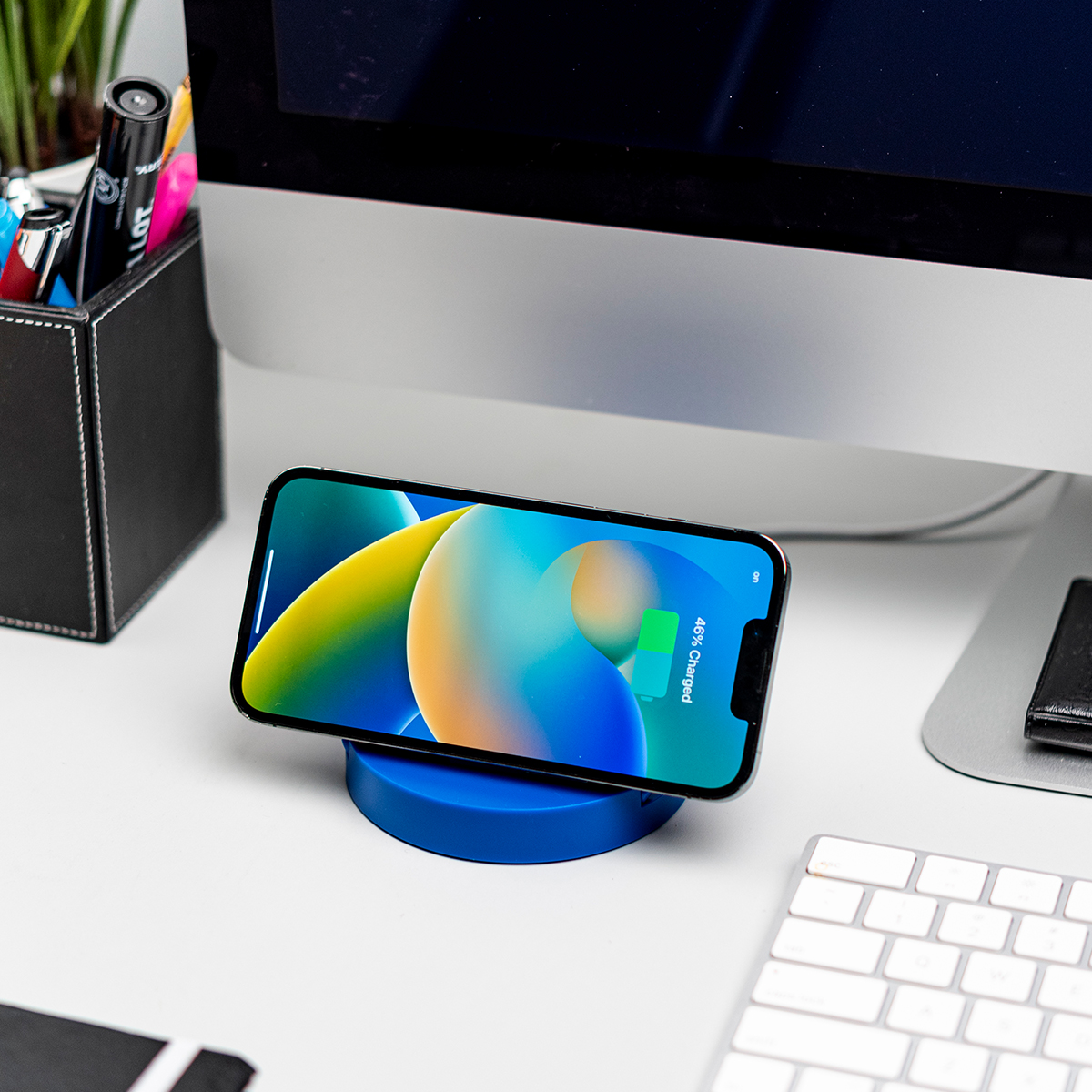
Practical setup
Make wireless charging part of the desk, not another loose device.
-
Choose one landing area
A single phone charging zone reduces searching, cable grabbing, and random placement throughout the day.
-
Keep the angle useful
A phone charging stand is helpful when you need to see calls, timers, messages, or video meeting prompts.
-
Use flat pads for low-profile setups
A wireless pad works well near a notebook, bedside tray, or compact desk where vertical height is not needed.
-
Keep the cable path quiet
Guide the power cable behind other objects or along a desk edge so the charging product looks integrated.
A cleaner setup should still stay practical. Keep your phone easy to pick up, align, and charge without interrupting work.
Daily rhythm
Small habits keep the surface open.
Wireless charging helps most when the desk has a repeatable rhythm: phone down, charge on, cable hidden, tools returned.
Clear the center first
Keep the main writing, typing, or working area open. Place the wireless charger slightly to the side for easy reach.
Group power tools together
Place phone charging, power hubs, and cable exits in one zone so the rest of the desk can stay visually calm.
Match charger style to the task
Use a stand for visibility, a pad for low profile charging, and a desk station when multiple daily devices need power.
Product fit
Pick the charging format that supports the way you work.
-
Magnetic stand
Best for visible placement, quick alignment, and a phone that stays upright while you work.
-
Wireless pad
Best for minimal height, bedside trays, compact corners, and low-profile desk charging.
-
Desk charging station
Best when your phone and small daily accessories need one shared power area.
For best results, keep the charging surface clean, align the phone carefully, and avoid thick metal accessories between the phone and charger.

Setup questions
Clean desk charging, answered simply.
Where should I place a wireless charger on my desk?
Place it where your phone is easy to reach but not in the center of your typing or writing area. A side placement often keeps the desk cleaner.
Is a stand or pad better for a clean setup?
A stand keeps the phone visible and upright. A pad keeps the setup low and minimal. The best choice depends on whether visibility or a lower profile matters more.
How can I reduce visible charging cables?
Run the cable behind a monitor, along the desk edge, or through a cable channel. Keep only the charger visible on the surface.
What should I check if wireless charging feels inconsistent?
Check phone alignment, case thickness, cable connection, and the power source. Keep metal items away from the charging area.
Ready for a cleaner desk?
Build a phone power zone that looks calm and works every day.
Explore WireNest wireless charging pads, magnetic phone stands, and desk charging accessories designed for practical daily power without visual clutter.